
Last Updated: November 8, 2026
Quick Summary
Smart home lighting is a lighting system you control from your phone, your voice, or a schedule instead of just a wall switch, using Wi-Fi or another wireless connection to link globes, switches and sensors to one app. Most systems run on Wi-Fi, so you often need no extra wiring, and smart bulbs are the simplest way to start.
- Smart bulbs suit renters because you screw them in, control them by app and take them when you move.
- Smart switches keep working at the wall when Wi-Fi drops or a guest visits.
- Zigbee and Thread are low-power mesh standards that need a hub or bridge.
- Energy savings are modest, and a smart globe still draws standby power when the light is off.
- Renting? Start with smart bulbs in one or two rooms before buying more.
Table of Contents
- Smart Home Lighting: What It Is and How It Works
- Smart Light Bulbs: The Simplest Way to Start
- Smart Light Switches: Whole-Room Control That Stays Put
- Smart Lighting Automation: Schedules, Timers and Routines That Save You Time
- Smart Lighting Scenes: One Tap for the Right Ambience
- Connectivity, Compatibility and Security: What to Check Before You Buy
- Realistic Costs and Energy Savings for Smart Home Lighting
- Choosing Your Smart Home Lighting Starter Kit
- Frequently Asked Questions
Smart Home Lighting: What It Is and How It Works
Smart home lighting is a lighting system you control from your phone, your voice, or a schedule instead of just a wall switch. It uses Wi-Fi or another wireless connection to link globes, switches and sensors to one app. Shoppers are drawn to it for one simple reason: it makes everyday routines easier.
Here is how it works. Each smart globe or switch joins your home network. You pair it with an app, then set rules. Those rules can be timers, scenes, or voice commands through a smart-home assistant.
The basic parts of any setup:
- Smart bulbs screw into your existing fittings
- Smart switches replace the wall switch
- A hub or bridge links some devices together
- An app controls everything in one place
Most systems run on Wi-Fi, so you do not need extra wiring in many cases. That is the appeal. No electrician, no mess, no fuss.
Smart Light Bulbs: The Simplest Way to Start
The easiest entry point is a smart light bulb. You screw it in, download the app, and you are running in minutes. No tools, no tradesperson.
Smart bulbs give you app control, dimming and often colour-changing light from one globe. They suit renters especially, because you take them with you when you move.
A common mistake is buying bulbs before checking your Wi-Fi signal at the far end of the house. Weak signal means dropouts. Test coverage first.
For a no-wiring option that works straight out of the box, our retractable camping string lights 2 pack is a handy way to add flexible light without touching your wiring.
Best for: renters and first-timers. Skip if: you want the wall switch to keep working when the app is down.
Smart Light Switches: Whole-Room Control That Stays Put
Smart switches replace the physical switch on your wall, so the room still works the old way too. Anyone can tap it. The app is a bonus, not a requirement.
This is where smart switches beat smart bulbs. If your Wi-Fi drops or a guest visits, the switch still turns the light on. That reliability matters in hallways, kitchens and bathrooms.
The catch is installation. Most smart switches need a licensed electrician, which adds to the cost. Check whether your wiring has a neutral wire, because many smart switches need one.
Best for: busy family homes and high-traffic rooms. Skip if: you rent and cannot change the wiring.
Smart Lighting Automation: Schedules, Timers and Routines That Save You Time
Automation is where smart lighting earns its keep. Set lights to wake you gently, switch off when you leave, and dim at bedtime. Once set, you stop thinking about it.
Useful routines to build first:
- Morning: lights fade on at wake-up time
- Away: lights switch off after you leave
- Evening: living room dims at sunset
- Night: hallway glows low for late trips
Timers and scheduling cut wasted power too. Lights stop burning in empty rooms. That is a small but real energy saving over a year.
If you want more time-saving ideas for a busy household, our guide to smart gadgets for busy working parents pairs well with these routines.
Smart Lighting Scenes: One Tap for the Right Ambience
A scene sets several lights at once with a single tap. Dinner mode, movie mode, reading mode. Each one adjusts brightness and colour temperature together.
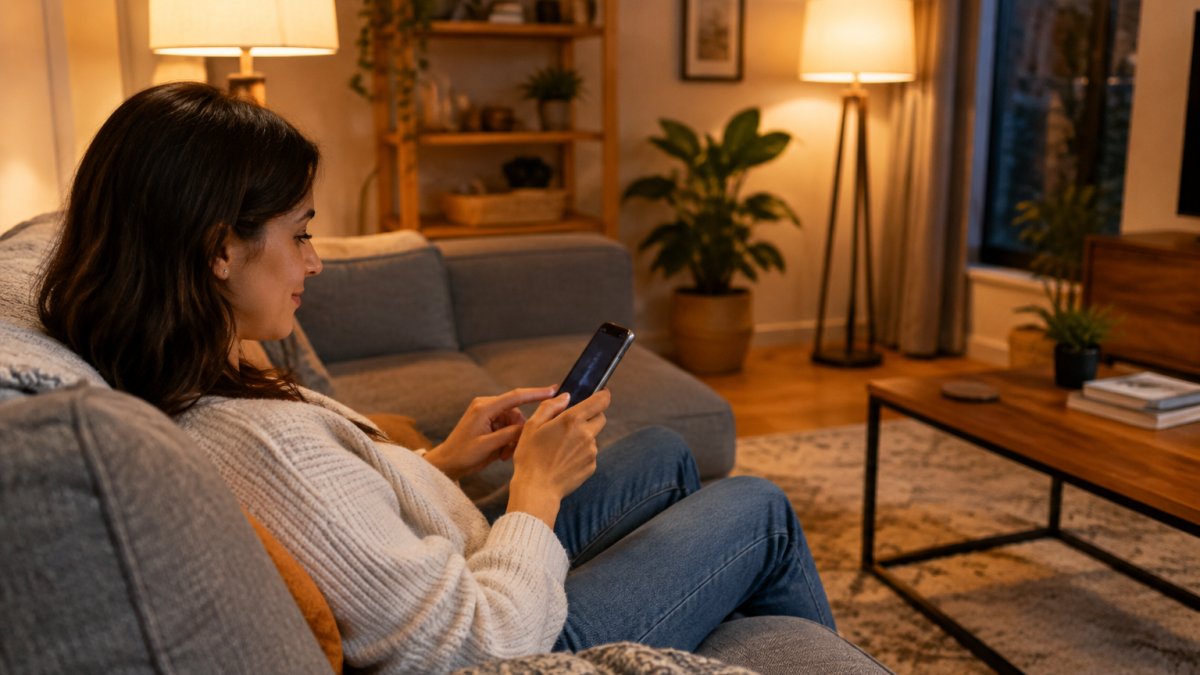
Colour temperature changes the mood more than most people expect. Cool white suits kitchens and tasks. Warm white suits bedrooms and lounges. Colour-changing globes go further, with soft pinks and blues for gatherings.
Scenes are also where home styling meets lighting. If you are planning a room's look, our guide on creating a cohesive home interior theme helps you match light to decor.
Connectivity, Compatibility and Security: What to Check Before You Buy
Check three things before you buy: the connection type, the ecosystem, and the security settings. Get these wrong and your lights will fight each other, or your voice assistant will not see them at all.
Connection types matter most, because they decide how many devices your network can carry and whether you need a hub.
- Wi-Fi globes join your router directly. No hub, no bridge, and setup is usually a few minutes in the manufacturer's app. The trade-off is network load: each globe is another device on your router, and a busy household with phones, televisions, computers and a dozen globes can start to see dropouts on older routers. Wi-Fi is best for a handful of lights in one or two rooms.
- Bluetooth is the simplest pairing method and needs no network at all, but range is short and control usually only works when you are in the same room. It suits a single lamp or a bedside globe, not whole-home automation.
- Zigbee and Thread are low-power mesh standards. Each mains-powered device strengthens the mesh for the others, so reliability improves as you add lights. Both need a hub or bridge, a Zigbee hub, or a Thread border router such as a newer smart speaker or router. This is the more reliable path once you move past a few globes, and it keeps load off your Wi-Fi.
- Matter is the cross-brand standard worth checking for on the box. A Matter-certified globe or switch is designed to work across ecosystems rather than locking you to one app. Support still varies by brand and by firmware, so confirm the specific model is listed as Matter-compatible rather than assuming from the logo.
Ecosystem compatibility decides whether voice control and scenes actually work.
A practical buying check, in order:
- Confirm your Wi-Fi reaches the room, or plan for a mesh standard with a hub.
- Confirm the globe or switch lists your smart-home assistant as supported.
- Confirm whether a hub is required, and add its cost to the budget.
- Confirm the model is Matter-certified if you want to mix brands later.
- Confirm the return window, so a compatibility miss is recoverable.
On security, follow basic hygiene. The Australian Cyber Security Centre publishes clear guidance on securing smart devices, and it is worth a read.
Watch out: a globe that pairs over Bluetooth during setup may still need Wi-Fi or a hub for remote control and scheduling, so read the setup steps before assuming app control works away from home.
To browse devices that pair well together, look through our electronics range for compatible smart options.
Each connection type suits a different size of setup, so match it to your home before you buy.
| Connection type | Best for | Key difference |
|---|---|---|
| Wi-Fi | A handful of lights in one or two rooms | Joins your router directly; no hub needed |
| Bluetooth | A single lamp or a bedside globe | Short range; control usually only in the same room |
| Zigbee and Thread | Moving past a few globes | Low-power mesh; needs a hub or bridge |
| Matter | Mixing brands later | Cross-brand standard; support varies by brand and firmware |
Realistic Costs and Energy Savings for Smart Home Lighting
Be realistic about cost. Smart globes cost more than standard LED lights up front, and smart switches cost more again once you add an electrician.
Upfront costs to budget for:
- Smart globes: priced per globe, and colour-changing models cost more than white-only dimmable ones. Multiply by the number of fittings you want to control.
- Smart switches: priced per switch, plus a licensed electrician for installation. This is the line item people underestimate.
- A hub or bridge: only if you choose Zigbee, Thread or another mesh standard. Add it once, and it covers the devices on that network.
- Sensors and buttons: optional, but they are what make automation work without your phone.
Pricing depends on the model, quantity and current promotions, so check the Oddities & Ends website for current prices.
Where the savings come from, and how small they are:
- LED efficiency: smart globes are LED, so they use far less power than old incandescent bulbs. Most of that saving comes from the LED itself, not from the smart features, you would get it from any LED globe.
- Automation: lights switch off when rooms are empty, which removes the wasted hours from lights left burning.
- Dimming: lower brightness draws less power, though the saving is proportional and smaller than people expect.
A simple payback calculation you can do yourself:
- Note the wattage of the old globe and the smart LED replacement.
- Estimate the hours per day the light is actually on, and how many of those hours automation would remove.
- Multiply the wattage difference by the hours saved to get watt-hours per day, then convert to kilowatt-hours.
- Multiply by your electricity rate per kilowatt-hour to get the annual saving.
- Divide the upfront cost by the annual saving to get the payback period in years.
Run those numbers and most households find the payback is measured in years, not months, which is exactly why the convenience, scheduling and scene benefits matter more than the energy claim.
For a starter setup that keeps the upfront spend sensible, see the selection guidance below.
Choosing Your Smart Home Lighting Starter Kit
Start small and pick the setup that matches your home, not the biggest bundle. One room is enough to learn what you like.
A simple way to choose:
- Renting? Start with smart bulbs in one or two rooms.
- Own your home? Add smart switches in high-traffic rooms.
- Want routines? Add a hub for reliable automation.
- Love ambience? Choose colour-changing globes for living areas.
To round out a starter kit with practical home helpers, browse our home everyday helpers collection.
Getting smart lighting right comes down to matching the setup to your home and your routine, not buying the most gadgets. At Oddities & Ends, we make that easy with a curated range, free delivery across Australia, and a simple online shopping experience. Start with one room, build from there, and let the lights do the work. Get started with Oddities & Ends and find the smart lighting pieces that fit your everyday life.
Frequently Asked Questions
Do smart lights need Wi-Fi to work?
Most smart bulbs and switches connect over Wi-Fi or a hub that uses Zigbee or Thread. Wi-Fi models work directly with your router and are easiest for renters, while hub-based systems can be more reliable across many lights. Bluetooth-only bulbs work without Wi-Fi but usually can't be controlled when you're away from home. Check the box for the connectivity standard before buying, and confirm your Wi-Fi reaches the rooms where you plan to install smart home lighting.
What is the difference between smart bulbs and smart switches?
Smart light bulbs replace your existing globes and give you app and voice control per light, including colour and dimming. Smart light switches replace the wall switch and control all globes on that circuit, which suits ceiling lights and downlights. Bulbs are cheaper and renter-friendly; switches keep working with normal switches and are better for whole-room control. Many homes use both: smart light switches for main rooms and smart light bulbs for lamps.
Can smart lights be controlled when you are away from home?
Yes, if the system connects through your home Wi-Fi or a hub linked to the internet. You can check lights, turn them on or off, and run schedules from the app wherever you are. This is useful for security and for making the house look occupied. Set up automation so lights follow your normal routine, and keep firmware updated to reduce privacy and security risks.
Are smart lights worth it?
They are worth it if you value convenience, scheduling and ambience. You can set timers, dim lights without extra hardware, and create scenes for movie nights or mornings. Energy savings are real but modest unless you replace older halogen or incandescent globes with LED smart bulbs. Costs vary by brand and setup, so compare features and check current prices on the Oddities & Ends website before deciding.
